AI ERP with agents inside the systems you run
 AI phone and voice agents for real calls
 LLM.coPrivate, self-hosted LLM deployments
 Legal AI infrastructure for firms
 AI RFP discovery and response drafting
 Automatic.coBusiness process automation
 CyberAttack.aiThreat detection and defense
 Secure AI virtual data rooms
 DigitalSign.coAI-designed digital signage for any screen
 hardware.coCustom AI hardware, software, and engineers
 Data.coPrivate AI infrastructure and governance
Building a Private RAG System Across SharePoint and Microsoft 365
Two years ago, grounding an LLM on SharePoint usually meant exporting a tenant's documents to blob storage, chunking them in a batch job, and bolting an auth layer onto a vector store that had no concept of per-user ACLs. The semantic index did not exist in its current form. Permissions did not travel with the content. Overshared files became overshared chunks. The result was fast to prototype, impossible to defend in a security review, and the first serious compliance question usually killed the project.
The ground has shifted. Microsoft Graph now exposes delta queries across SharePoint and OneDrive that stream only what changed since the last cursor. Azure AI Search supports vector fields with security trimming. The Microsoft 365 Copilot Retrieval API returns ranked extracts from the same hybrid index that powers Copilot, honoring tenant ACLs at query time. The architecture is finally buildable without reinventing identity, and the install base is large enough that enterprise AI development services teams are seeing the same tenant layout at customer after customer.
What this piece lays out: the Graph scopes you actually need, how delta queries and ACL-trimmed retrieval fit together, how to parse the file formats a real tenant stores, and where a custom index still earns its cost over the built-in surfaces.
The Graph Surface You Actually Need
A tenant-wide RAG system needs three things from Microsoft Graph: a stable way to enumerate content, a way to track changes, and a way to resolve who can see what. Delta queries handle the first two. Calling /sites/{siteId}/drive/root/delta or /users/{id}/drive/root/delta returns a change token and a page of items; store the token, poll again later for everything added, modified, or deleted since. This replaces the full nightly recrawl that older connectors ran.
Scopes matter more than they look. Sites.Read.All is tempting because it works everywhere, but it also reads every site in the tenant, which is a zero trust violation most security teams will flag. The Microsoft ISE engineering team recommends Sites.Selected with explicit site allow-listing for ingestion, paired with a narrower Files.Read.All only where it is actually required. Identities should be normalized to Microsoft Entra ID object IDs rather than UPNs so that renamed accounts and deprovisioned users still resolve correctly. The same discipline applies across your broader API integration work: scope the token to the resource, not the tenant.
For change propagation, Graph change notifications (webhooks) can trigger a delta pull within seconds of a permission edit. That matters. A file revoked from a Teams channel should not appear in a RAG answer a minute later.
Permission-Aware Retrieval Without the Hand-Waving
ACL-trimmed retrieval is the hardest part of the design. The pattern Microsoft's own guidance describes is to materialize the effective ACL for each document as fields on the index record (allowedUsers, allowedGroups), then filter every retrieval query against the caller's Entra ID object ID and their resolved group memberships. The filter runs before results return. Without it, overshared files become overshared vectors, and the model will cheerfully summarize an HR termination list to the person on it.
The scale of the oversharing problem explains why this is not optional. Independent research has tracked rapid year-over-year growth in at-risk files across Microsoft 365 tenants, with most exposure happening inside the tenant rather than to external guests.
OWASP's 2025 LLM Top 10 added Vector and Embedding Weaknesses as LLM08, covering RAG-specific risks: data poisoning of vector stores, embedding inversion attacks that recover source text, and context leakage between users in multi-tenant deployments. Those risks map directly to design choices in the Graph ingestion pipeline. A query-time permission filter is necessary but not sufficient. You also need periodic re-ingestion when ACLs change, group membership resolution per query, and the tenant isolation patterns documented in our zero trust hybrid cloud notes.
Parsing What Microsoft 365 Actually Stores
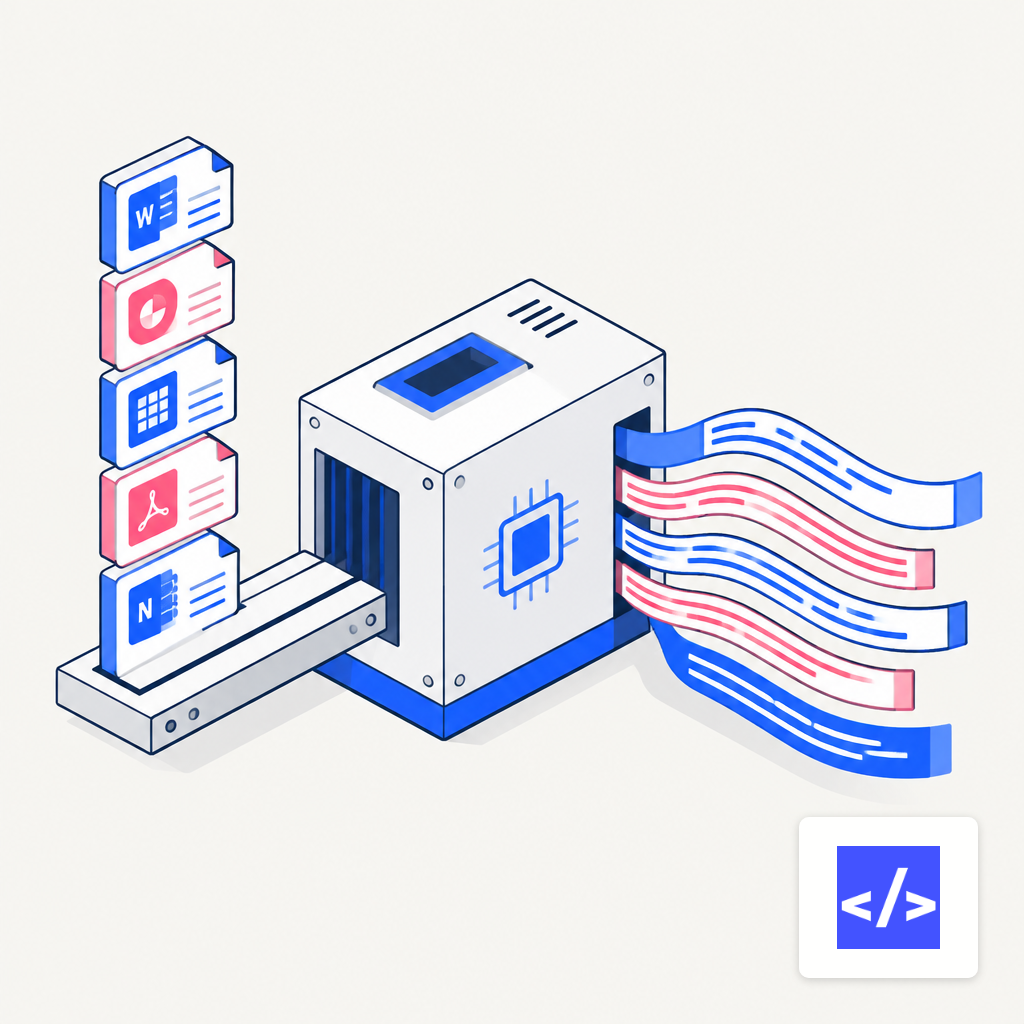
A production tenant is more than Word documents. Expect a mix of .docx, .pptx, .xlsx, .pdf, .aspx (SharePoint page content), and .one (OneNote sections). Each needs different parsing:
- .docx: python-docx or Apache POI extracts runs, tables, headers, footers, and tracked changes. Preserve heading structure for chunk boundaries.
- .pptx: python-pptx reads shapes, speaker notes, and embedded tables. Slides with key facts encoded as images need OCR.
- .xlsx: openpyxl or pandas. Spreadsheets are the common failure mode. A chunk of cells without a header row is useless, so serialize each row with its headers attached.
- .pdf: PyMuPDF for digital PDFs, Azure Document Intelligence for scanned ones. Multi-column reading order is a real problem.
- .aspx: The SharePoint pages endpoint returns structured JSON for modern pages. Classic pages come out as HTML and want a second pass.
- .one: OneNote is the one most teams forget. The Graph /me/onenote/pages endpoint returns HTML per page; parse it like .aspx.
Format support is not uniform at the retrieval layer either. The Copilot Retrieval API, for example, only runs semantic retrieval against a specific subset of extensions, and table extraction is narrower still.
| File type | Semantic retrieval | Lexical retrieval | Table extraction | Max file size |
|---|---|---|---|---|
| .docx | Yes | Yes | Yes | 512 MB |
| .pptx | Yes | Yes | Yes | 512 MB |
| Yes | Yes | No | 512 MB | |
| .doc | Yes | Yes | Yes | 150 MB |
| .aspx | Yes | Yes | No | 150 MB |
| .one | Yes | Yes | No | 150 MB |
| .xlsx and other | No | Yes | No | 150 MB |
Choosing a Retrieval Surface
Three options cover the 2026 landscape. The Copilot Retrieval API keeps data in place, inherits tenant ACLs, and returns ranked extracts without egress. Azure AI Search with vector fields gives full control over chunking, embeddings, and hybrid search, with security filters, but you own the ingestion pipeline. A fully custom pgvector or Qdrant index gives the most control and the lowest per-query cost at scale, but you now own ACL propagation, delta sync, and compliance proofs.
For pilots and small user populations, the Copilot Retrieval API is almost always the right starting point. For large tenants, high query volume, or workloads that need embeddings from a specific model, a custom index wins on both cost and control. We walked the economics in detail in year-one RAG costs; the breakeven point tends to sit around a few thousand active users, past which the fixed infrastructure spend is recovered by per-query savings.
Storage, Scale, and the Numbers That Shape the Pipeline
OneDrive quotas shape ingestion sizing more than most teams expect. Per-user allocations start at a default base, expand automatically for qualifying E3/E5 tenants, and can be lifted further by a support request. For a ten thousand user tenant the ceiling is measured in petabytes even if actual usage is a small fraction. SharePoint per-user and per-tenant throttling will shape the crawl schedule more than raw storage ever does; a greedy delta loop that ignores Retry-After headers gets the service account blocked within minutes.
Two operational choices fall out of this. First, run the initial backfill at off-peak hours and cap concurrency per user token. Second, keep a separate crawl identity per workload (search index, Copilot agent, compliance export) so that a throttled connector does not knock out the others.
What to Ask Before You Commit to a Build
The question worth putting to any vendor, agency, or internal team pitching a Microsoft 365 RAG system: show the exact Graph scopes, the security filter that runs at query time, and the re-ingestion cadence after a permission change. A good answer names Sites.Selected or an equivalent least-privilege pattern, demonstrates a filter on the retrieval call that resolves the caller's Entra ID object ID and group memberships before results are ranked, and commits to a staleness window — minutes for sensitive content, a few hours at most for everything else. An answer that waves at "we integrate with your SSO" and leaves ACL propagation for later is a project that gets killed in security review and billed as a loss.