AI ERP with agents inside the systems you run
 AI phone and voice agents for real calls
 LLM.coPrivate, self-hosted LLM deployments
 Legal AI infrastructure for firms
 AI RFP discovery and response drafting
 Automatic.coBusiness process automation
 CyberAttack.aiThreat detection and defense
 Secure AI virtual data rooms
 DigitalSign.coAI-designed digital signage for any screen
 cstm.aiCustom AI hardware, software, and engineers
Using AI to Build a Customer Portal: Dos and Don'ts
Most teams building a customer portal in 2026 reach for AI twice: once in the editor, where Copilot or Cursor writes the scaffolding, and again in the product, where an LLM answers tickets or summarizes a contract. Both uses are defensible. Neither is free. The trouble is that the same word covers two very different risk profiles, and the second one, the in-product LLM, inherits every weakness of the first.
This piece is a working checklist for a buyer. What to let AI do, what to keep human, and where portals built this way tend to break.
Separate the Two Jobs AI Is Doing
Before any architecture discussion, name the two surfaces. AI-assisted portal development is a developer productivity question: how much of the React form code, the Django serializers, the Terraform modules, the test fixtures should a model write. LLM features in customer portals are a product question: whether the end user ever talks to a model, and about what.
They fail differently. Bad generated code ships a bug. A bad LLM feature leaks a document. Pricing, staffing, and audit for the two should be scoped separately, which is one reason the AI-assisted vs. traditional development tradeoff rarely lands as a single number. A build pod using Cursor to accelerate CRUD is a different budget from a RAG pipeline sitting behind the portal's help panel.
The common mistake is treating a demo-quality chatbot as a feature rather than a system. The LLM is the easy part. The retrieval index, the tenant scoping, the prompt logging, and the eval harness are the system.
Let AI Scaffold, Not Decide
Code assistants are now standard. Stack Overflow's 2025 survey of nearly 49,000 developers found 84% using or planning to use AI tools, up from 76% in 2024, while only 29% said they trust AI accuracy and 46% actively distrust it. Use climbs, trust falls. That gap tells you where the line is.
Good uses on a portal build: generating repetitive forms, boilerplate CRUD endpoints, migration scripts, test data, OpenAPI specs from existing handlers, and first-draft documentation. These are places where a senior engineer can read the diff in a minute and reject the half that is wrong.
Bad uses: authorization logic, tenant scoping in queries, cryptography, retry and idempotency around payments, anything that touches the auth boundary. Models produce plausible auth code. Plausible is the failure mode. If an assistant writes a role check, treat it as untrusted input and run it through the same review you would give a junior pull request, plus a dedicated test. The audit path for AI-generated code is not optional once the portal holds customer data.
Draw the Auth Boundary Before the First Prompt
Portals break on authorization more than on anything else. The OWASP API Security Top 10 (2023) ranks Broken Object Level Authorization as API1, the top API risk, occurring when endpoints expose object identifiers without the server checking that the current user is actually allowed to read that object. A portal is an object-level authorization problem wearing a UI.
Three decisions that need to happen on day one, not day sixty:
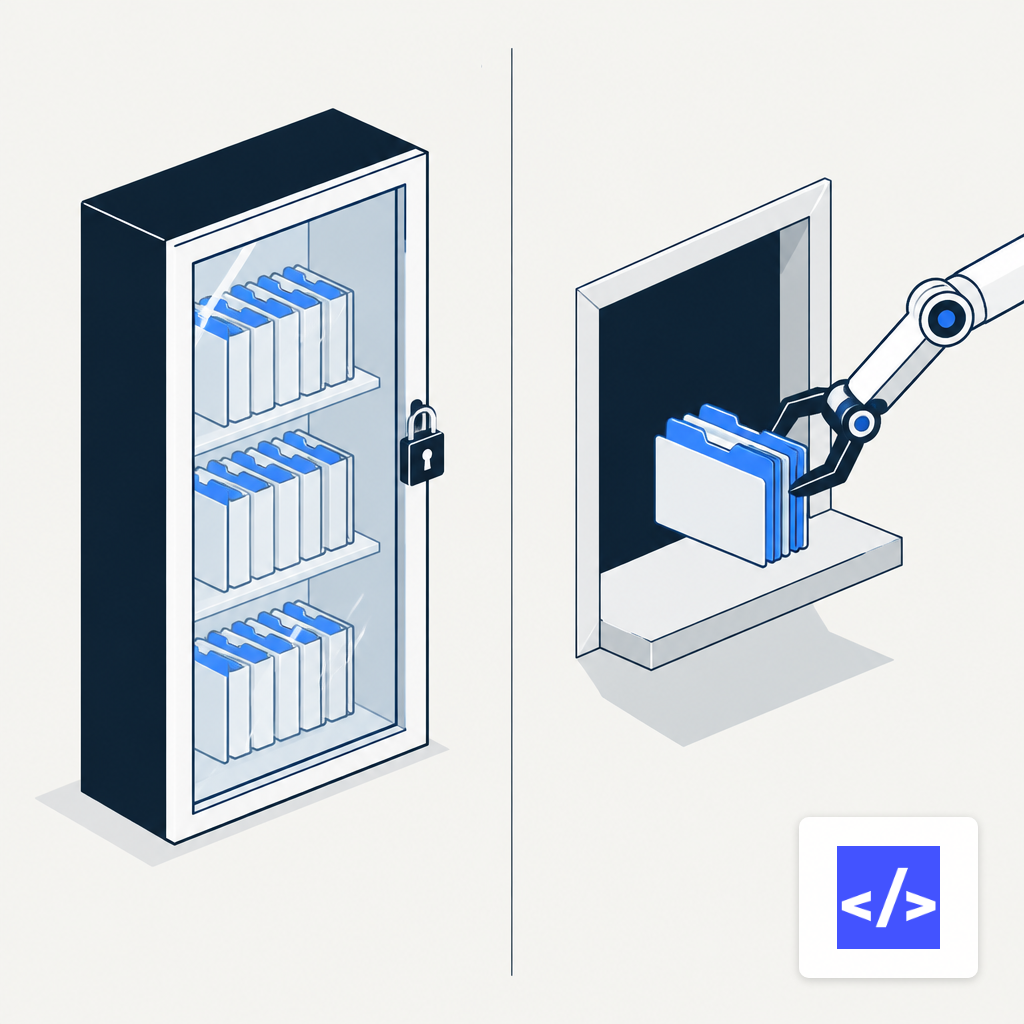
- Tenant identity in the token, not the URL. The user's tenant should come from a signed claim, not a path parameter or a header the client controls. Every query layer below the controller should filter by it.
- Row-level security as a second line. Even if application code filters correctly, the database should refuse to return another tenant's row. Postgres RLS or an equivalent in your ORM. The patterns are well-worn, and the multi-tenant data isolation playbook is the right starting point.
- RBAC that an auditor can read. Roles, permissions, and the mapping between them should live in configuration a non-engineer can review, not in scattered if statements an LLM may have written.
None of this is novel. It is the part AI-assisted builds skip because the scaffolder does not know your tenancy model. The scaffolder's job is to produce a sign-in page. Yours is to make sure the sign-in page is attached to a tenant.
Treat the LLM Feature as a Product, Not a Prompt
Portals increasingly ship a help panel: a chat box that answers questions about the user's account, invoices, or documentation. The pressure to add it is real. Salesforce reported AI agent adoption in customer service organizations rising from 39% in 2025 to 66% in 2026, a 1.7x jump in a year. And a Stanford and NBER study of 5,179 support agents found a 14% average productivity lift from an AI assistant, with a 34% gain for novice workers and minimal effect on experienced ones.
Those numbers justify the feature. They do not design it. A production LLM panel inside a portal needs, at minimum:
- A retrieval layer scoped by the authenticated tenant, with the same row filters as the rest of the portal. The vector store is not exempt from RLS thinking.
- A prompt log that redacts PII before storage and keeps the raw request only long enough to debug, with an owner for the retention policy.
- An eval set with known-answer questions and known-bad questions. Regressions should block deploys the way failing tests do.
- A fallback. When the model is uncertain, it should hand off to a human queue, not guess. Confidence thresholds are a product decision, not a model default.
Buyers underestimate the recurring cost of this layer. The ongoing spend on retrieval, evals, and monitoring is the reason a production RAG system in year one looks nothing like the proof of concept.
Keep PII Out of Prompts You Do Not Control
If the portal sends customer data to a hosted model, the vendor's data handling becomes part of your compliance posture. The practical rules:
- Strip identifiers before the prompt. Replace names, emails, and account numbers with tokens the application re-hydrates after the response.
- Pin the model and the region. A silent model swap can change behavior on your eval set overnight.
- Disable training on your traffic in the contract, in writing, and verify it is reflected in the API configuration.
- Log every prompt and response with the tenant ID, the user ID, and the retrieved document IDs. Without that trail, an incident is unresolvable.
This is the same audit discipline required for any agent that touches real systems. The patterns in running AI agents with approvals and audit apply directly: human-in-the-loop for destructive actions, RBAC on the tool surface, structured logs you can replay.
What Breaks First When You Skip These Steps
The failure modes repeat across engagements. A pilot ships with per-user scoping but not per-tenant scoping, and the first enterprise customer finds another tenant's data in a support answer. A code assistant writes a resource endpoint that trusts a client-supplied customer_id, and a curious user discovers it. A chatbot cites a document the asker was never granted. A scaffolded admin page is deployed without the role check the developer meant to add later.
None of these are AI-specific bugs. They are the same bugs portals have always had, surfaced faster because the generator ships more code per hour. The scaling characteristics of AI-generated apps under real load make the point in more detail. The implication for the buyer is simple: review budget scales with generation speed, not with team size.
| Risk | Exploitability | Prevalence | Detectability | Impact |
|---|---|---|---|---|
| API1 Broken Object Level Auth | 3 | 3 | 3 | 2 |
| API2 Broken Authentication | 3 | 2 | 3 | 3 |
| API3 Broken Object Property Auth | 3 | 2 | 3 | 2 |
| API5 Broken Function Level Auth | 3 | 2 | 3 | 2 |
| API8 Security Misconfiguration | 3 | 3 | 3 | 2 |
A Short Checklist for the Buyer
Before signing a statement of work for an AI-built portal, confirm the following in writing:
- Which parts of the codebase the vendor will generate with AI assistance, and which parts a senior engineer will write by hand. Auth, tenancy, and payments belong in the second column.
- The tenancy model, named: shared database with RLS, schema-per-tenant, or database-per-tenant. The answer determines half the architecture.
- The LLM features the portal will ship, each with a retrieval scope, a prompt-logging policy, and an eval harness owned by name.
- The audit trail: who did what, when, with which role, and against which record. This includes AI actions, not only human ones.
- The exit plan for the LLM vendor. Model lock-in is real; a thin provider interface and portable embeddings are cheap to build on day one and expensive on day four hundred.
AI shortens the distance from idea to running portal. It does not shorten the distance from running portal to one you would hand to an auditor. The teams that ship both do the second part on purpose, with the same seriousness they bring to the database schema. Treat AI as a capable junior on the build side and as a product requiring evals on the feature side, and the portal will survive its first real customer. Treat it as a shortcut, and the first incident will be the one that teaches you the difference.