
 AI ERP with agents inside the systems you run
 AI phone and voice agents for real calls
 LLM.coPrivate, self-hosted LLM deployments
 Legal AI infrastructure for firms
 AI RFP discovery and response drafting
 Automatic.coBusiness process automation
 CyberAttack.aiThreat detection and defense
 Secure AI virtual data rooms
 DigitalSign.coAI-designed digital signage for any screen
 cstm.aiCustom AI hardware, software, and engineers
11 Factors to Consider When Designing a Healthcare Website
Building a website or doing custom development in the healthcare industry isn’t a task to take lightly. Patients expect perfection when it comes to data security and privacy, so it’s crucial that you establish trust with end users and build trust from the very first visit. This is easier said than done, and creating a trustworthy presence requires hard work. You not only need to prove that patient data is safe and secure, but you also have to deliver on your word, including implied promises, especially around patient privacy and accurate information.
Whether you’re developing a website for your own healthcare facility, or you’re a web designer designing a healthcare website for a healthcare provider, here are the most important factors to consider throughout the process. These key elements apply to all modern medical websites, from small clinics to large hospital systems, and they’re fundamental to strong healthcare website design and overall website design.
1. Consider how the site will be used
Healthcare is a broad industry, and there are many ways people might use a healthcare website. Here are just some of the most common use cases for medical websites:
- Patient access to records. Will the healthcare website need to provide patients with access to their medical records, prescriptions, test results, and scheduled visits so they can easily access what they need and get quick access to updates?
- Resources. Does the healthcare website need to have a self-help area with health related information or health related topics, like over-the-counter recommendations for colds, or helpful information about certain health conditions, treatment options, various procedures, and medications? Some medical websites also include symptom checkers to guide visitors toward appropriate next steps.
- A staff directory. Does the healthcare provider need a staff directory so people can see who works there along with direct contact information for medical professionals?
- Interactive options. Do you need to enable telehealth visits for video calls or other interactive features for remote medical assistance?
- Online billing. Are you required to add online billing services to the site that integrates with insurance information and allows patients to see their payment history on your medical websites?
- Doctor-patient communication. Do you need to provide a way for patients to contact their doctors through an internal email system, improving patient experience and user engagement?
Add a visible search bar near the top navigation so audience members can get quick access to relevant information. If your client hasn’t managed a website build before, they might assume these features are standard across healthcare websites and medical websites. Don’t assume—confirm the scope so the final web design supports your target audience and the right workflows.
If the company you’re working with doesn’t tell you they need any of the above features, ask them specifically, because the person you’re consulting with might assume some of these features are standard for all healthcare websites. If they’ve never managed a website build before, they won’t know that nothing will be automatic and they need to discuss all the specifications with you ahead of time.
2. Prioritize accessibility for disabled users
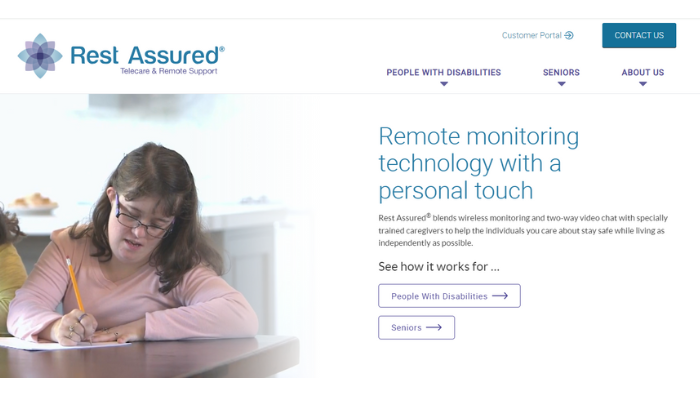
Accessibility isn’t just a nice feature – it’s a legal requirement. The Americans with Disabilities Act (ADA) requires that every public business with a physical location, and every government website be accessible to people with disabilities. Inaccessible healthcare websites make it hard or impossible for people with disabilities to navigate the contents, and that isn’t acceptable for medical websites.
People need to be able to use tools like screen readers and voice recognition to navigate a website, and that requires accessible website design patterns. There are guidelines for how to make a website accessible, but some things aren’t black and white. Include descriptive alt text on images, label online forms, and avoid layouts that break assistive tools. Accessibility is also a health equity issue—if disabled users can’t access health related content, they can’t make informed decisions. If you don’t have experience building accessible websites, it’s best to consult with someone who does.
You could face consequences for building an inaccessible site. Although the healthcare business would be sued by affected patients, they could turn around and sue you for not meeting basic legal requirements when you built their site. Companies get sued all the time for inaccessible websites. Not too long ago, a blind man sued Domino’s Pizza because he couldn’t order a pizza online using a screen reader. He won the case and Dominos had to compensate him by investing a lot of money into rebuilding their site to be more accessible.
No matter what your client says, prioritize accessibility. Factor it into all of your website design and web design decisions. For example, if they request a feature that would make their healthcare website inaccessible, and they are required to have an accessible site, explain why that won’t work. Never skip accessibility requirements because you could be held legally and financially responsible.
3. Consider security and data privacy laws
Cybersecurity requires extensive attention when building a healthcare website. Medical records and patient data are subject to The Health Insurance Portability and Accountability Act (HIPAA) of 1996. Under this law—and broader health insurance portability expectations— there are serious penalties for disclosing sensitive patient information without their express written consent. Unfortunately, cyberattacks, like data breaches and data leaks, can expose protected health information (PHI), which is a violation of this law, so security must be a first-class requirement in healthcare website design and healthcare web design.
There are countless ways hackers can get into a website and steal data, and while you need to take data security seriously, there’s only so much you can do to prevent data from being stolen. It happens even to websites that are properly secured. Hackers are constantly finding new vulnerabilities in software and getting into poorly secured servers at the root, and there’s a chance getting hacked may be outside of your control. However, that doesn’t mean you can’t protect the data.
To keep data secure, you need to encrypt it end-to-end so that it can’t be read if it gets stolen. Encrypted data is worthless to hackers, and using end-to-end encryption helps build trust with patients and protects your client legally. This also strengthens the patient experience because users feel safe completing online forms, paying bills, or messaging doctors on medical websites. Again, the healthcare client will likely be sued first, but they can also sue you for building them a poorly secured site, so don’t skip encryption. It’s literally the only way to keep data truly secure.
4. Does your client need a patient portal?
One of the most common features a healthcare website needs is a client portal where patients can log into their account and access their medical records, scheduled and past visits, prescriptions, payment history, and more. Done right, portals increase user engagement and improve the patient experience on medical websites. This will require you to work with a software developer to create a portal integration that seamlessly blends into the website so that it feels like a natural part of the overall website design.
5. Will your client offer telehealth services?
Telehealth services became popular during the COVID-19 pandemic, and have remained a reliable way for patients to get faster access to healthcare in non-emergency situations. If the business you’re designing a website for needs telehealth services, there are several things to note. A well designed telehealth flow uses multimedia elements like video visits and secure chat, giving patients quick medical assistance even when they can’t travel. Sometimes loved ones join virtual visits, so make the experience simple and intuitive across devices.
Since you’re required to abide by all federal, state, and local data privacy regulations and laws, your telehealth services system needs to comply with all of those laws. This means you can’t just install any video conferencing system. In fact, for this one, you shouldn’t try to create it from scratch because it’s going to be too difficult to meet all the legal requirements. Instead, suggest an existing compliant video conferencing platform, like Zoom for Healthcare, GoTo, or GoogleMeet, so your healthcare website design stays safe and legal.
6. Billing and payments
Most likely, your client will want to accept payments through their healthcare website, and that’s typical for medical websites. Expect to be asked to build out a payment system and a secure billing landing page with clear calls to action that will accept all major credit cards and possibly even PayPal, Apple Pay, or other online payment methods, which can actually help you get more money for your web projects. Strong website design here helps convert visitors who are ready to pay and reduces admin load for the healthcare provider. Consider adding a secondary set of calls to action like “Check Insurance” or “View Payment History” for clarity.
7. Does your client want patients to communicate with doctors?
In addition to building out a patient portal, many medical websites now support secure doctor-patient messaging. This feature is becoming popular, and it’s a nice addition to have on a healthcare website. Sometimes, prospective patients, existing patients, or caregivers just need to ask their doctor a quick question about health conditions or treatment options and don’t want to schedule a visit.
If you are asked to create this type of feature, you’ll need to keep several security factors in mind. For example, you can’t allow patients to communicate regarding their medical information via text or email because that would violate data privacy laws. Although you’ll need to talk to a lawyer to be certain, the law probably excludes allowing patients to receive links to their account with two-factor authentication verification texts. You can send codes, but never allow any private information to be sent in a text message, not even the patient’s name, nickname, or account ID. This makes the experience more user friendly, protects patient privacy, and continues to build trust.
All communication between patients and doctors needs to take place within an enclosed environment that is secured and within your full control in terms of security. If you aren’t sure how to create this feature, the best solution is to partner with a professional software developer.
8. Make sure your support options are easy
The patients who visit the site you build will need an easy way to contact the organization, so make sure the contact forms are easy, accessible, and functional. Make contact online forms short, accessible, and easy to find through easy navigation. Support pages also often rank in search engines, increasing more visitors and potentially bringing more patients to your practice through strong search results. This should go without saying, but sometimes what seems like a simple contact process can be complicated.
9. Prioritize the user experience and interface
Good user experience (UX/UI) on a healthcare website is critical. Patients visit healthcare websites for all kinds of reasons and will expect a smooth, user friendly experience. Sometimes users will be looking for a new doctor, and other times they’ll be researching general health advice. However, most of the people who will use your client’s site will be existing patients who want to log into their patient portal or make an appointment online.
It’s crucial to design your client’s website with their end users in mind. Good web design and website design principles still apply, but healthcare needs extra clarity. For instance, there will be more older people and people who are visually impaired, but aren’t using a screen reader. This means you’ll need to make the text large enough for users on a desktop computer, choose a calm color scheme, and layouts that guide visitors to the right service landing page. The right color scheme helps guide visitors to the right service landing page. Don’t clutter medical websites with fluff—focus on frictionless paths for both existing and potential patients. Healthcare websites don’t need any fluff.
Also, prioritize mobile responsiveness. A mobile friendly healthcare website design should load quickly and work beautifully on mobile devices. Many users will book care from phones, including scheduling appointments on the go. A truly mobile friendly layout boosts the patient experience, improves user engagement, and helps your healthcare website perform better in search engines and search results. If possible, test every key flow on multiple screen sizes to ensure the website design holds up in real-world use.
10. Partner with an SEO company to sell a full package
SEO helps medical websites rank on search engines, win more clicks from search results, and drive more visitors to each service landing page. As a website developer, you can only do so much search engine optimization (SEO) work on your clients’ medical websites. Even if you were also an SEO expert, you likely wouldn’t have the time because SEO takes a team, and isn’t easy for one person to implement. You would have to give up your day job as a developer to work on your clients’ SEO full-time.
A great solution that would work for you and your clients is to sell a full package that includes SEO, and partner with an SEO agency ahead of time and include their services in the package you sell to your healthcare client. You’ll need to manage the project and the SEO company’s work, but it’s worth it for the extra profit and it will make your client happy.
If you don’t want to partner with an SEO company, at the very least, get your client’s site set with basic SEO and then recommend that they work with a professional SEO firm on their own so the client attracts the right audience and turns traffic into new patients.
11. Don’t get in over your head
The final consideration is to make sure you don’t get in over your head with developing a website for a healthcare organization. The healthcare industry is governed by strict regulations, so non-compliant website design is risky.
If you’re unsure about portals, telehealth, billing, or secure messaging, consider outsourcing to specialists with healthcare compliance experience. That happens to be one of our specialties! Reviewing real design examples and other compliant medical websites is a great example of smart prep—just don’t rely on generic stock images to carry credibility. Patients want clarity, empathy, and accurate information built into the website design from day one.
Need a healthcare website? We’d love to build it for you
At DEV.co, our team of expert website developers have extensive experience building websites for healthcare organizations while maintaining tight cybersecurity and compliance with applicable data privacy laws. We can handle a full site build, portal integration, and mobile-first web design so you can focus on care while we help you build trust and convert visitors into long-term patients. Many developers are starting to use white label website design services to save time and money, and that’s something you may want to consider.
If you need to build a healthcare website and you’re not sure how to make it compliant, or if you’d rather have it all built by a team of professionals, reach out and let us know what you need. We’d love to help!