
 AI ERP with agents inside the systems you run
 AI phone and voice agents for real calls
 LLM.coPrivate, self-hosted LLM deployments
 Legal AI infrastructure for firms
 AI RFP discovery and response drafting
 Automatic.coBusiness process automation
 CyberAttack.aiThreat detection and defense
 Secure AI virtual data rooms
 DigitalSign.coAI-designed digital signage for any screen
 cstm.aiCustom AI hardware, software, and engineers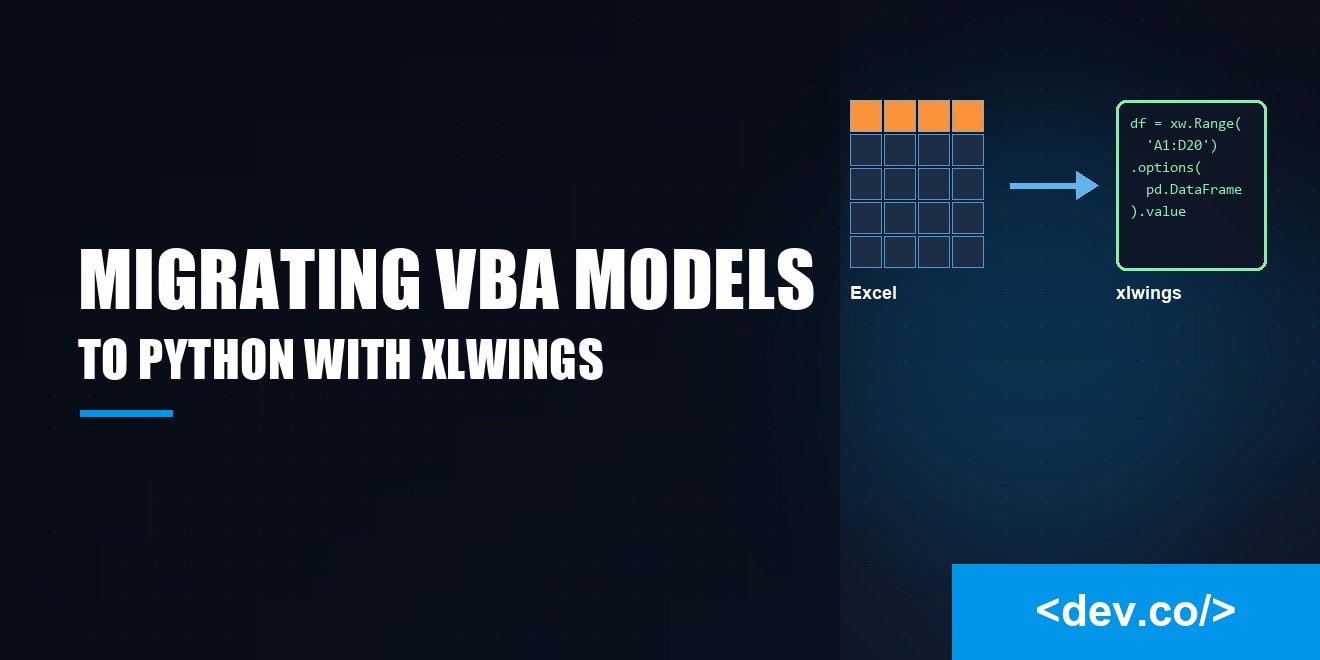
Migrating VBA Financial Models to Python with xlwings
Moving a seasoned Excel and VBA model to Python with xlwings can feel like swapping the engine on a moving train. The spreadsheet is familiar, the macros have history, and the pull of cleaner code and richer libraries is strong. In the context of software development, the trick is to separate concerns so the math and the interface stop stepping on each other. Keep Excel as the front door while Python carries the heavy logic.
Why Migrate At All
VBA lets analysts ship ideas quickly, which is why many models began life as scrappy macros. Over time that speed can turn into fragility. Modules swell, hidden cells smuggle business rules, and debugging becomes a scavenger hunt. Python gives you readable code, sensible packaging, and libraries like pandas and NumPy that handle large data well. With xlwings, you keep the workbook while moving computation into a place that is easier to test and maintain.
Planning the Migration
Successful migrations begin with an inventory. List workbooks, sheets, named ranges, and macro entry points. Note hardcoded constants and volatile functions that push recalculation. Identify user defined functions that formulas call and the macros attached to buttons.
The prize is a map that shows where data enters, where it changes shape, and where it leaves as reports. With the map in hand, carve logic into small Python functions and keep Excel on input and output duties.
Take Stock of the Workbook
Trace calculation flow. Which sheets produce inputs, which transform them, and which present outputs. Track dependencies so you can isolate pure functions that accept data and return results. Pay attention to anything that touches files, databases, or external services. These calls often hide brittle assumptions about paths or schema. Record every place the model reads or writes a range, because those calls become xlwings adapters.
Design Your Data Layer
Python thrives when data is explicit. If a sheet encodes a table, read it into a DataFrame with typed columns and a clear index. If a range represents scenario parameters, map it to a dataclass so fields have names and defaults. Avoid per cell reads. Pull whole blocks at once, then validate shape and types. When numbers carry units or currency, store that metadata alongside values to avoid quiet mistakes.
Building with Xlwings
xlwings lets Python talk to Excel like a friendly neighbor. You can read ranges into lists, arrays, or DataFrames, and write results back while preserving number formats. You can register Python functions as UDFs so Excel formulas call them. You can also launch Python scripts from ribbon buttons so users feel at home. The workbook remains the doorway, while the real work happens in modules that are simple to test and reuse.
Reading and Writing Ranges Efficiently
The fastest xlwings call is the one you make once. Read contiguous blocks, not single cells in a loop. Convert to NumPy arrays, perform vectorized math, then write a clean block back. Keep index alignment in mind if you hop between DataFrames and arrays. If formats matter, write values first, then apply styles in a few passes. Bind named ranges in a thin adapter so the rest of your code never handles raw addresses.
UDFs Without Tears
User defined functions help you keep a workbook alive while you move logic into Python. Wrap each UDF as a short adapter that validates inputs, calls a pure function, and returns a simple type. Avoid side effects so recalculation is predictable. If a function is expensive, consider caching results by input tuple. Excel recalculates more often than you think, especially when volatile functions are nearby. Clear names and tiny wrappers make maintenance kinder.
Handling Dates, Times, and Precision
Excel has quirks that can spoil a model if you forget them. The 1900 leap year bug makes serial day 60 special. Time values are fractional days and can lose precision on round trips. In Python, be explicit about timezone handling and lean on pandas types that preserve meaning. For currency that must reconcile to the cent, consider Decimal. Floating point is fast, but rounding across a ledger can drift by pennies, so define and test your policy.
Interest calculations deserve special care. Day count conventions differ, compounding frequencies vary, and business day calendars turn tidy formulas into puzzles. Centralize those rules in a module with clear names, then use it everywhere instead of copy pasting cell logic. A small library of date utilities pays back every time a holiday schedule changes.
Quality, Testing, and Validation
You will only trust the new model if it matches the old one on known inputs. Start with golden datasets and record expected outputs. Build pytest tests that run headless for the core math, then add a thin layer that exercises xlwings adapters. Log inputs and outputs so a failed run leaves a trail. It is not flashy, yet it is the habit that protects reputations when numbers matter.
Reproduce the Old Model
Mirror workbook outputs column by column, then compare with tight tolerances. Document any intentional differences, such as fixed bugs or clarified rounding rules. Automation helps here. Generate a report that flags the largest absolute error and the largest relative error so reviewers can focus where it matters.
Automated Tests That Pull Their Weight
Make tests readable. Name fixtures after business concepts rather than sheet cells. Use factories for dates and calendars so the same setup can drive many scenarios. When a bug appears in production, capture it in a test before you fix it. That habit turns messy surprises into permanent improvements.
Performance and Stability
Performance tuning begins with measurement. Profile Python functions to see where time goes. Often the villain is excessive Excel traffic. Minimize round trips by reading once, computing in memory, and writing once. For long calculations, stream progress to the status bar so users know the app is alive. Protect the workbook from half written states by writing results to a new sheet, then swap it into place after validation.
Packaging and Distribution
Analysts are happiest when running a model is a single step. Use a virtual environment and a lock file so dependency versions are known. Package the application with a launcher that sets paths and opens the right workbook. If your audience lacks Python, consider a frozen executable with PyInstaller. Add a small version check at startup that fetches a new build from an internal share.
Governance and Change Management
Financial models do not live alone. They feed reports, support credit decisions, and satisfy auditors. Treat your new Python model like a product. Assign ownership, set a release cadence, and require code review for changes that affect outputs. Keep an audit trail that links requirements to pull requests. Small habits pay off during audits and keep quality from sliding.
Common Pitfalls to Avoid
The biggest mistake is trying to move everything at once. Start with a thin slice that delivers value and proves the path. Another mistake is keeping too much logic in formulas. If a rule deserves a sentence in documentation, it probably deserves a function in Python. Watch for silent type conversions. Excel may treat a code like text while Python assumes an integer, which breaks joins or sorting. Do not skip backups.
A Practical Rollout Plan
Begin with a small feature that users know well. Recreate it in Python, wire it up with xlwings, and release it into the same workbook. Collect feedback on speed and clarity. With each step, retire a chunk of VBA that no longer earns its keep. Soon the workbook becomes a polished interface, while the hard thinking lives in well named modules.
Conclusion
Migrating a financial model from VBA to Python does not require torching the workbook that teams rely on. Keep Excel for what it does best, let xlwings bridge the gap, and move the real logic into clean, testable Python. Plan the journey, prove equivalence, and automate the dull parts so people can focus on decisions. The result is a model that is faster to run, kinder to maintain, and much easier to trust.
